Wire It Yourself

Outlets, Switches & Lights — Done Right & SAFE

Pick the job. Watch it wired, wire by wire. Then wire it yourself, land it at the panel and flip the breaker before you ever open the real box.

  • 53 ready-to-wire circuits
  • NEC 2023 code checks
  • Phone, tablet & computer

Residential only: houses, duplexes, garages and sheds. Not for commercial wiring.

53circuits, switches to 240 V
AFCI · GFCIbreakers set by the room
60 °Cgauge chart on every job
0 Vreal voltage while you practice
How it works

Watch it. Wire it. Test it.

Every circuit runs from the panel to the last device, with the code reason for each step.

Watch

See the whole job built, step by step

Tell DiWire what you're wiring. It animates the build from the home run at the panel to the last wire nut, and explains every term as it goes.

  • Wire gauge and breaker size checked against the 60 °C column
  • Box fill worked out for every box
  • Common mistakes shown so you can spot them
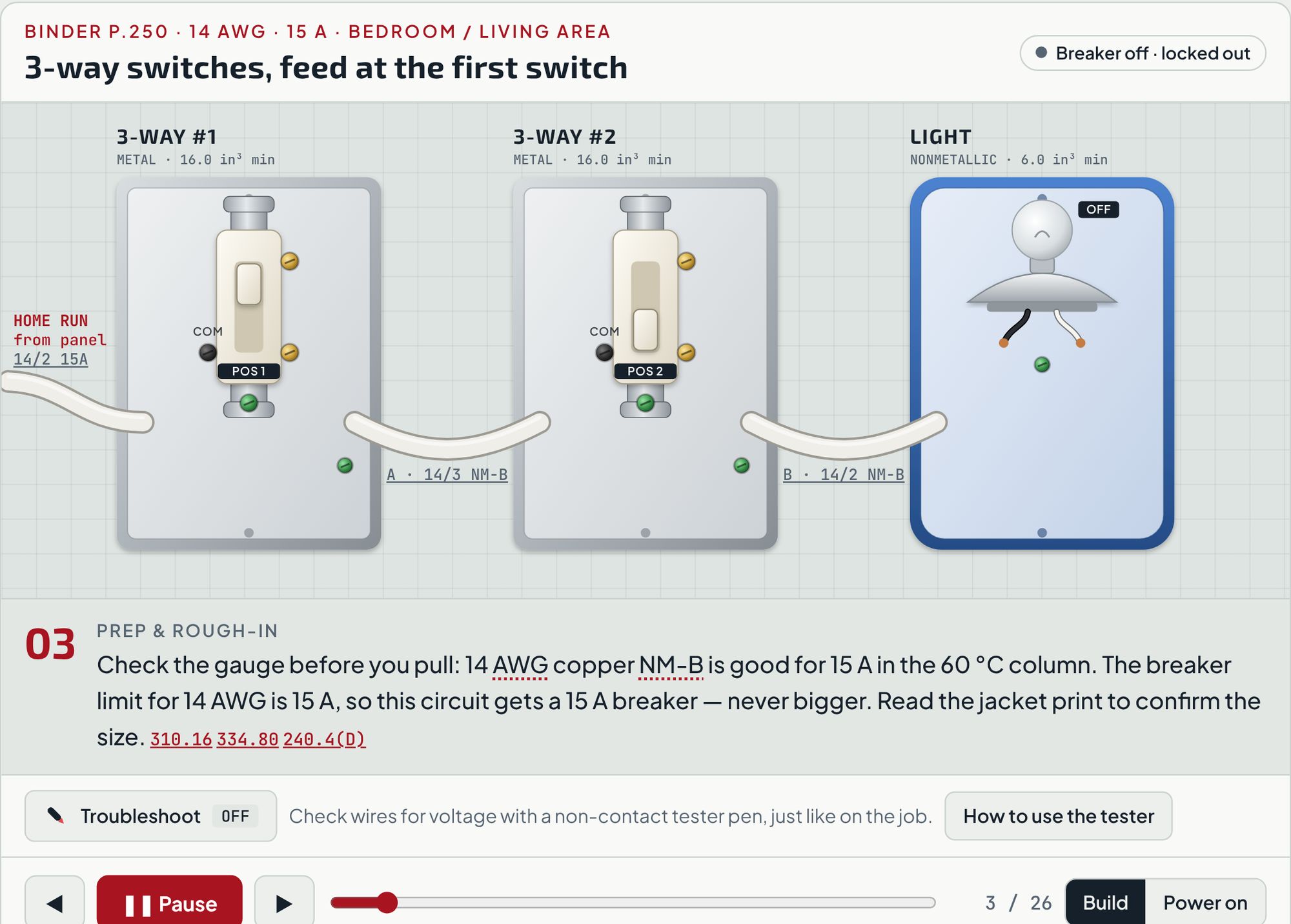
3-way switches · feed at the first switch
DiWire build view: two 3-way switches and a ceiling light wired step by step, with the gauge and breaker explained
Wire

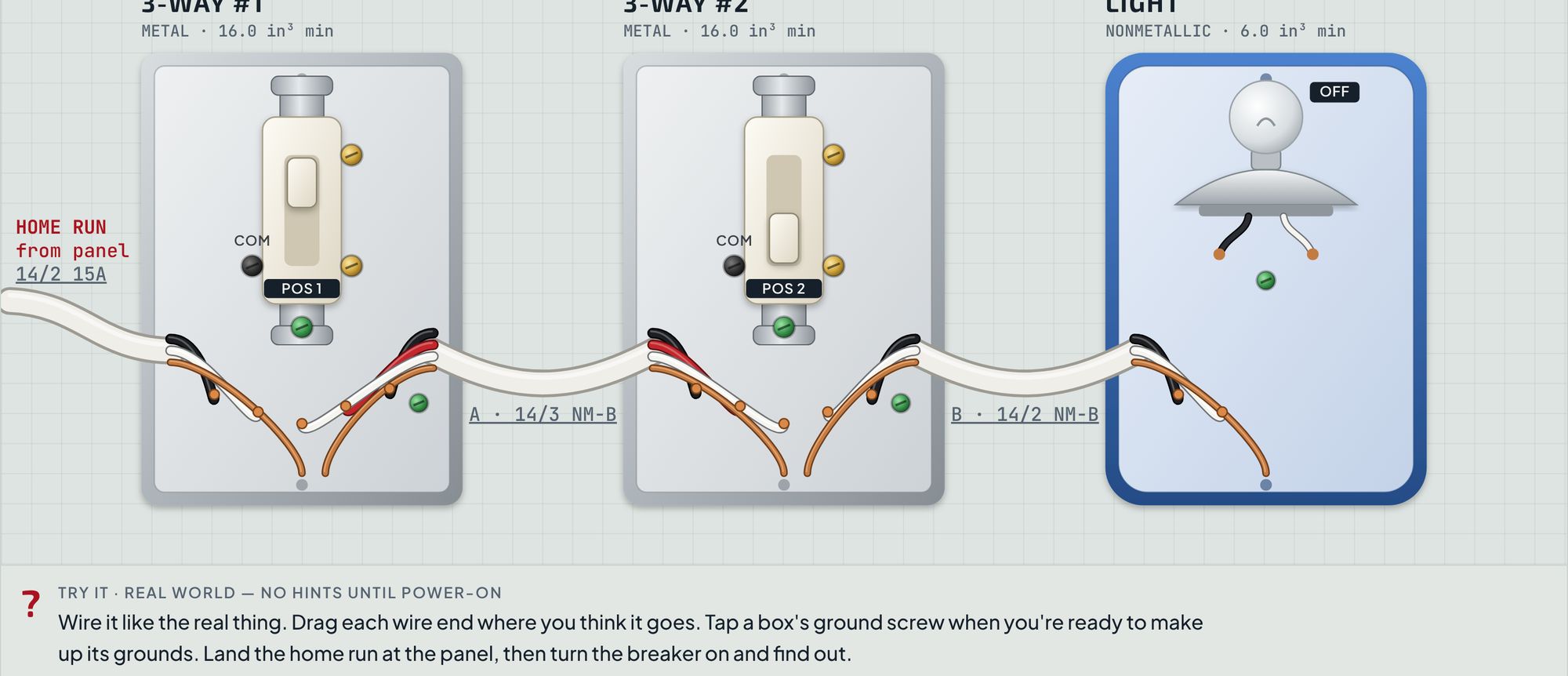
Then do it yourself, with no guide marks

Drag every wire end where you think it goes. Land the home run on the right breaker, then turn it on. Real-world mode stays quiet until power-on. Coach mode points out mistakes as you make them.

  • Drag and drop on phone, tablet or computer
  • Graded at the panel, AFCI and GFCI included
  • Pass it and get a job card to take to the real box
Try it · Real world
DiWire Try-it mode: unconnected wire ends ready to drag onto device screws
Test

Troubleshoot with a tester pen

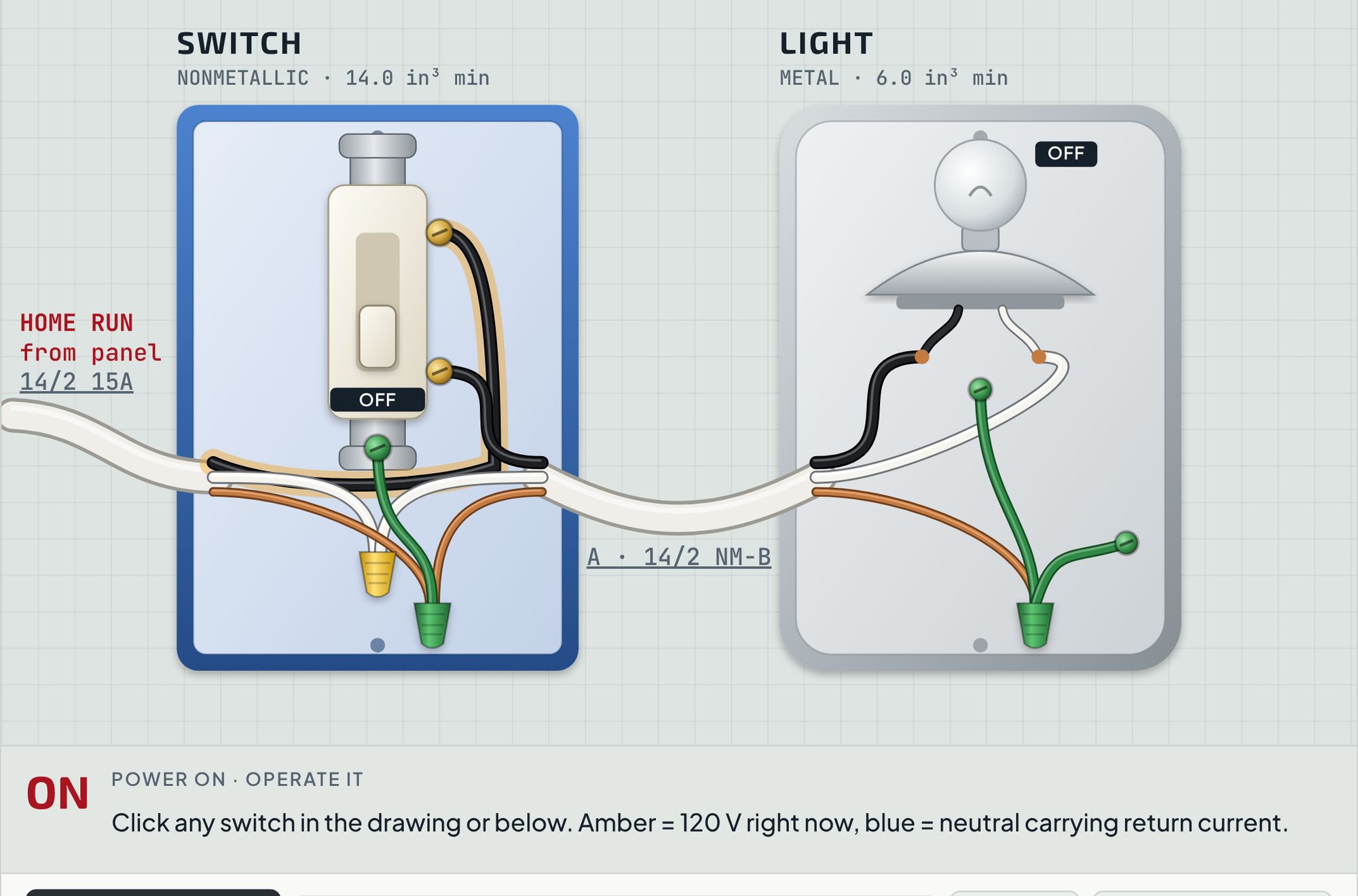
Sweep a non-contact tester over any wire the way you would on the job. It beeps on the hot conductor and stays silent on the neutral, so you learn what "dead" really means.

  • Live-dead-live habit built into every job
  • Switch the circuit on and off and see what changes
  • Hot and neutral current drawn in color
Troubleshoot · single-pole switch
DiWire troubleshoot mode with a non-contact tester over the switch wiring
What you can wire

From a single switch to the dryer

Lights · one switch

8 circuits

One wall switch turns the light on and off.

Lights · 3-way

5 circuits

Control a light from two places: stairs, halls, rooms with two doors.

Lights · 4-way

5 circuits

Add a 4-way between the 3-ways for every extra location.

Fans & smart switches

5 circuits

Ceiling fans with light kits, bath exhaust fans, smart and Bluetooth switches.

Outlets · bedrooms & living

6 circuits

Everyday receptacles on AFCI breakers.

Outlets · wet & work areas

4 circuits

Bath, kitchen, garage and laundry receptacles with GFCI protection.

Kitchen appliances

2 circuits

Dedicated circuits for the dishwasher and disposal.

Outdoor

2 circuits

Weather-resistant GFCI receptacles with in-use covers.

Room layouts

12 circuits

Switch loops, 3-way and 4-way runs, split receptacles and feed-through protection.

240 V appliances

4 circuits

Dryer, range, water heater, EV charger on 2-pole breakers.

Safety first, every job

Breaker off. Lock it. Test it dead.

DiWire builds the habit into every circuit, then checks your work against the 2023 National Electrical Code. You get the code reason, not just the rule.

LiveTest the pen on a known hot circuit
DeadTest the circuit you're working on
LiveTest the pen again
Pricing

One project, or every project after

Start free. Buy the 3 circuits your job needs, or go Pro for all of them.

15 A · STARTER

Free

$0forever
  • 3 starter circuits: switch, outlet, GFCI
  • Gauge chart and glossary
  • Watch mode
  • 1 photo preview a day
  • Try-it grading and job cards
  • Troubleshoot tester
  • 240 V circuits
Create free account
20 A · YOUR JOB

Pick 3

$59one time
  • Choose any 3 circuits, yours for life
  • Try-it with Real-world grading
  • Troubleshoot tester
  • Job cards for your 3 circuits
  • The other 50 circuits
Pick my 3
Every circuit30 A · PRO

Pro

$99per year
  • All 53 circuits, switches to 240 V
  • Wire it from a photo: 10 a day
  • Try-it, tester and job cards on all of them
  • New circuits as they're added
  • Code updates when the NEC changes
  • Cancel anytime
Go Pro

Prices in USD.

Questions

Before you start

Which code does DiWire follow?

The 2023 National Electrical Code. Cities and states adopt the NEC on their own schedule and add amendments, so confirm the edition your inspector enforces.

Can I use it for commercial wiring?

No. DiWire is built for one- and two-family homes: houses, duplexes, and the garage, shed or shop at your house. It is not for commercial wiring: stores, offices, restaurants, warehouses, or apartment and condo buildings. Commercial work uses other methods (conduit, MC cable, 277/480 V, 3-phase) and other code rules, and in Texas it has to be done by a licensed electrician. The homeowner exemption only covers a home you own and live in.

Do I still need a permit?

Often, yes. Many places require a permit and inspection for new circuits, even for homeowners. Call your local building department before you start.

Does it work on my phone?

Yes. Watch, wire and test all work on phone, tablet and computer. Drag-and-drop wiring works with touch.

What if I'm brand new to this?

Start with the learning path. It begins at a single switch and a single outlet, and every term has a plain-English explanation one tap away.

What do I get with Pick 3?

You choose any 3 circuits and keep them for good, with Try-it, the tester and job cards. Need more later? Buy another Pick 3 or upgrade to Pro.

Can I cancel Pro?

Yes, anytime. You keep access until the end of the year you paid for.

Ready when you are

Wire it here first. Then do it for real.

Create a free account and wire your first switch in a few minutes.

Start free